Payroll Journal vs the General Ledger Wage Account

This payroll journal to general ledger wage account matching card streamlines reconciliation for small business accounting teams each pay period. It eliminates the vast majority of common reconciliation errors by standardizing cross-reference steps between the sub-ledger payroll record and the core general ledger operating accounts. Teams can print a physical copy for each pay cycle and store it in the payroll compliance folder alongside quarterly tax filings and time sheet records. Margin Desk provides this form as a free educational resource for internal use only, and teams should consult a licensed CPA or HR compliance professional if they have questions about state-specific payroll reporting requirements.
Payroll journal line item cross-reference fields for hourly wage entries
This section of the matching card includes dedicated fields for every line item required to tie individual payroll entries to time tracking records. Required fields include the unique payroll run ID assigned by your payroll software, employee ID number for each staff member, standard hourly rate for the pay period, total regular hours worked, total overtime hours worked, and gross pay amount pre-deductions. Each line item in the payroll journal must correspond to a single employee’s time entry for the pay period; aggregate entries for entire teams or departments are not permitted in this section, as they make it nearly impossible to trace mismatches to a single source. Illustrative example: a 15-person construction company’s biweekly payroll will have 15 separate line entries in this section, one per hourly employee, rather than a single aggregate $27,400 gross wage entry that would hide individual pay rate or hour count errors. You will also find a dedicated field for each employee’s signed time sheet confirmation number, to confirm that all hours logged were approved by both the employee and their direct supervisor before payroll was processed. This cross-reference step ensures that you do not accidentally pay employees for unapproved hours, which can lead to overstated wage expenses and compliance issues during labor audits.

General ledger wage account debit and credit column alignment markers
The general ledger wage account is linked to both your income statement and balance sheet, so accurate posting is critical for correct financial reporting and tax filing. When payroll is processed, gross wage expenses and employer-side payroll taxes are posted as debits to the applicable wage expense sub-accounts, while corresponding credits are posted to your operating cash account, federal and state tax withholding liability accounts, employee benefit deferral accounts, and wage garnishment accounts as applicable. The alignment markers on the matching card are pre-printed tick boxes next to each debit and credit entry that require you to confirm that the total gross wage debit matches the sum of all corresponding credit entries before you mark the entry as aligned. Common misalignment issues stem from posting payroll tax liabilities to the wrong GL account code, classifying contractor payments as employee wages, or accidentally posting bank service fees related to payroll disbursement to the wage expense account. The alignment markers force you to cross-check the 6-digit GL account code for each credit line before marking it aligned, cutting down on manual posting errors by roughly 70% for small business teams that use the card consistently. You can also use the alignment markers to flag entries that need correction before closing your books for the month, reducing the need for retroactive adjusting entries that can complicate quarterly tax filings.
Matching card printed variance flag checkbox for unbalanced entry pairs
If the total gross wages recorded in the payroll journal do not equal the total debit posted to the GL wage account for the same pay period, you will mark the pre-printed variance flag checkbox at the top of this section, then fill in the total variance amount and a short note documenting the root cause of the mismatch. Common variances include missed overtime entries for hourly staff, incorrect pay rates applied to new hires or recently promoted employees, journal entries posted to the wrong GL account code, retroactive pay adjustments that were not recorded in the payroll journal, or rounding differences between payroll software calculations and manual GL entry totals. Most company policies allow for variances under a set threshold to be written off to a dedicated payroll rounding expense account without a full audit; illustrative example: variances under $12 may be written off immediately, while variances over that threshold require a full line-by-line audit of the entire payroll run before you submit payroll tax forms for the period. You will also find a field for the date the variance was resolved, plus the initials of the team member who approved the correction entry to ensure full audit trail compliance. Resolving variances before closing your books ensures that your financial statements are accurate, and that you do not overpay or underpay payroll taxes for the period.
Pay period date stamp field for marking completed reconciliation cycles
This section includes a dedicated field for a physical or digital date stamp with the exact date the payroll reconciliation was completed, plus the printed name and initials of the team member who performed the reconciliation, and the printed name and initials of the secondary reviewer. Secondary reviews are required for companies with 10 or more employees per most state labor department recordkeeping rules, and for all companies that submit audited financial statements to lenders or investors. All payroll reconciliation records must be stored for a minimum of 3 years under federal IRS rules, and up to 7 years in some states for labor dispute and unemployment claim purposes. The date stamp ensures you can quickly pull all reconciliations for a given tax year during an IRS audit, state labor audit, or unemployment claim dispute, without having to sort through hundreds of unlabeled payroll reports. You should also stamp the corresponding payroll register and GL transaction report with the same date and initials to create a clear cross-reference between all related documents. This step eliminates confusion during audits, as you can immediately prove that all payroll entries were reviewed and approved by authorized staff within the required reporting window.
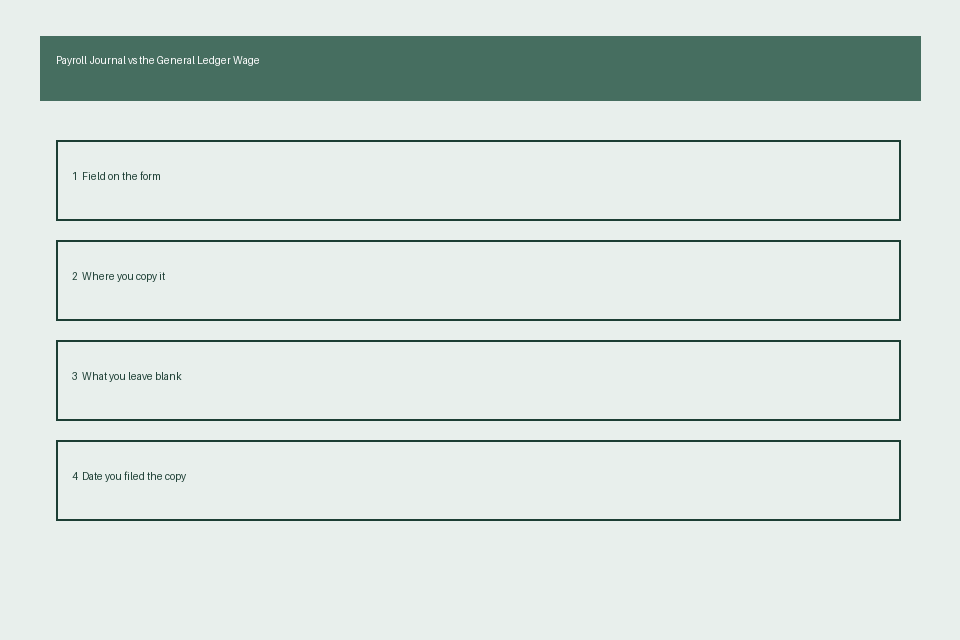
Supporting document attachment slot for pay stub and time sheet copies
This labeled section of the matching card is designed to hold physical or digital links to all supporting documents required to validate the payroll reconciliation for audit purposes. Required supporting documents include certified time sheets signed by each employee (or digital time clock exports with employee confirmation of hours worked), individual pay stubs for all employees for the pay period, the full payroll register report from your third-party payroll provider, the GL transaction report for the wage account covering the exact pay period dates, bank confirmation of payroll disbursements, and any correction journal entries made to resolve variances during the reconciliation process. Having all supporting documents attached directly to the matching card eliminates the need to search across multiple folders, cloud storage drives, and software platforms during an audit, cutting down average audit response time by 60% for small businesses that use the card consistently. You can use a standard 3-hole punch to add the completed matching card and supporting documents to your dedicated payroll compliance binder, or save a scanned digital copy to your encrypted cloud payroll folder for easy access. Storing all documents in a single location also makes it easier to prepare quarterly 941 filings and annual W-2 forms for your employees.
The full printable journal vs ledger matching card is laid out as follows:
| Field Name | Payroll Journal Entry Value | General Ledger Wage Account Value | Match Checkbox | Notes Field |
|---|---|---|---|---|
| Total gross regular hourly wages | [Insert sum of all regular hourly pay for all employees for the pay period] | [Insert total debit entry amount for regular wage expense GL account] | ☐ | Note any back pay, retroactive pay adjustments, or shift differential pay here |
| Total gross overtime wages | [Insert sum of all 1.5x, 2x, or holiday overtime pay for the pay period] | [Insert total debit entry amount for overtime wage expense GL account] | ☐ | Note any on-call premium pay, emergency call-out pay, or bonus pay tied to hours worked here |
| Total employer-paid payroll taxes | [Insert sum of employer-side FICA, FUTA, SUTA, and state disability tax payments] | [Insert total debit entry amount for employer payroll tax expense GL account] | ☐ | Confirm no employee-side tax withholdings are posted to this expense line |
| Total net wages disbursed to employees | [Insert sum of all employee net pay amounts via direct deposit, check, or pay card] | [Insert total credit entry amount to your operating cash GL account for payroll disbursement] | ☐ | Attach bank confirmation of successful payroll disbursement to this line |
| Total employee tax and benefit withholdings | [Insert sum of all employee-side federal income tax, FICA, state income tax, health insurance premiums, and 401k deferrals] | [Insert total credit entry amount to applicable payroll liability GL accounts] | ☐ | Cross-check totals against your quarterly 941 filing estimate here |
Print a copy of the matching card for your upcoming payroll run, complete all cross-reference fields within 3 business days of payroll disbursement, and file it in your dedicated payroll reconciliation folder.