
Monthly Depositor vs Semiweekly: The Lookback the Notice Uses

This deposit-schedule identification card helps payroll teams confirm their required federal employment tax deposit frequency annually. The IRS assigns frequency based on a 12-month lookback of total reported payroll tax liabilities, with penalties applied for depositing on the wrong schedule even if the full tax amount is paid on time. Many teams confuse monthly and semiweekly rules, so cross-referencing the notice details with your own payroll records eliminates avoidable noncompliance fees. Margin Desk provides this reference guide to help you organize your payroll tax folder materials, but always confirm any ambiguous entries with your registered payroll tax provider or licensed tax professional.
Lookback period worksheet rows
The lookback period is the standardized 12-month window the IRS uses to calculate your total payroll tax liability and assign your deposit frequency, and it always runs from July 1 to June 30 of the prior calendar year. For illustrative example, if your 2024 deposit schedule is being assigned, the lookback period covers July 1, 2022 through June 30, 2023. The official IRS lookback worksheet included with your frequency notice has three core rows to verify: Row 1 lists your total reported Form 941 liability for each of the four quarters in the lookback window, with no adjustments for prior deposits, credits, or amendments unless the amendment was processed before the notice was issued. Row 2 calculates the sum of all four quarterly liabilities to get your total lookback liability value. Row 3 compares that total to the $50,000 threshold: if your total is $50,000 or less, you are classified as a monthly depositor for the upcoming year, and if it is over $50,000, you are classified as a semiweekly depositor. New employers with no prior payroll tax filing history are automatically assigned monthly depositor status for their first full year of operation, unless they trigger the $100,000 next-day deposit rule, which applies to all depositors regardless of their base frequency. You should fill out a copy of this worksheet for your own records using your archived Form 941 filings, and store it next to your IRS frequency notice to resolve any discrepancies quickly.

Deposit frequency card sections
The deposit-schedule identification card is a printable reference tool you can keep in the front of your payroll tax folder to avoid pulling full IRS notices or old 941 filings every time you process a tax deposit. The table below outlines all required sections of the card, with cross-reference steps and common errors to avoid:
| Card Section Label | Purpose | How to Cross-Reference With Your Records | Common Error to Avoid |
|---|---|---|---|
| Lookback Period Window | States the exact 12-month period the IRS used to assign your deposit frequency | Match the listed quarter dates to your archived Form 941 filings for the corresponding tax periods | Using the current calendar year instead of the prior lookback period to calculate your total liability |
| Assigned Deposit Frequency | Marks your official status as either a Monthly Depositor or Semiweekly Depositor for the applicable tax year | Cross-check the designation against your own calculated total lookback liability and the $50,000 threshold | Assuming your prior year frequency applies automatically to the current year without reviewing your new annual notice |
| Next-Day Deposit Rule Indicator | Notes if you have previously triggered the next-day deposit requirement for liabilities exceeding $100,000 in a single deposit period | Compare the indicator to your largest single payroll run liability from the prior tax year | Forgetting that the next-day rule applies to all depositors regardless of their base monthly or semiweekly status |
| Notice Effective Date | Lists the first date you are required to use the assigned deposit schedule for all federal employment tax deposits | Align the date with your payroll calendar start date for the applicable tax year to avoid mid-quarter schedule switches | Implementing the new deposit schedule before the effective date or delaying implementation until after the first payroll of the year |
| IRS Notice Barcode ID | Unique alphanumeric identifier linked to your payroll tax account and this specific frequency assignment | Match the EIN tied to the barcode to the payroll-specific EIN listed on your quarterly Form 941 filings | Providing your general business EIN instead of your dedicated payroll tax EIN when contacting the IRS about the notice |
You can add additional custom fields to the card for internal use, such as the name of your payroll processor or the location of your digital lookback worksheet files, but make sure the core official fields are included and unmodified for compliance purposes.
IRS notification letter barcodes
Every official IRS deposit frequency notice (Form CP 201) includes two scannable barcodes printed in the top right corner of the first page, and these barcodes are the fastest way to resolve questions or disputes about your assigned frequency. The first barcode is your account barcode, which is tied directly to your payroll tax EIN and eliminates the need for extended identity verification when you call the IRS about your deposit schedule. The second barcode is notice-specific, linked directly to the exact lookback calculation the IRS used to assign your frequency, so you should include a clear copy of this barcode on any written correspondence disputing your assigned status to ensure the IRS pulls the correct file immediately. You should save a high-resolution scanned copy of both barcodes in your digital payroll tax folder, labeled with the notice issue date and applicable tax year, and attach a printed copy to your deposit-schedule identification card for quick access. If you receive multiple frequency notices in the same calendar year, the notice with the later issue date and corresponding barcode takes precedence, so be sure to update your card and folder materials immediately to reflect the latest assignment. Never share copies of these barcodes with unauthorized third parties, as they can be used to access sensitive payroll tax account information.
Semiweekly schedule coupon fields
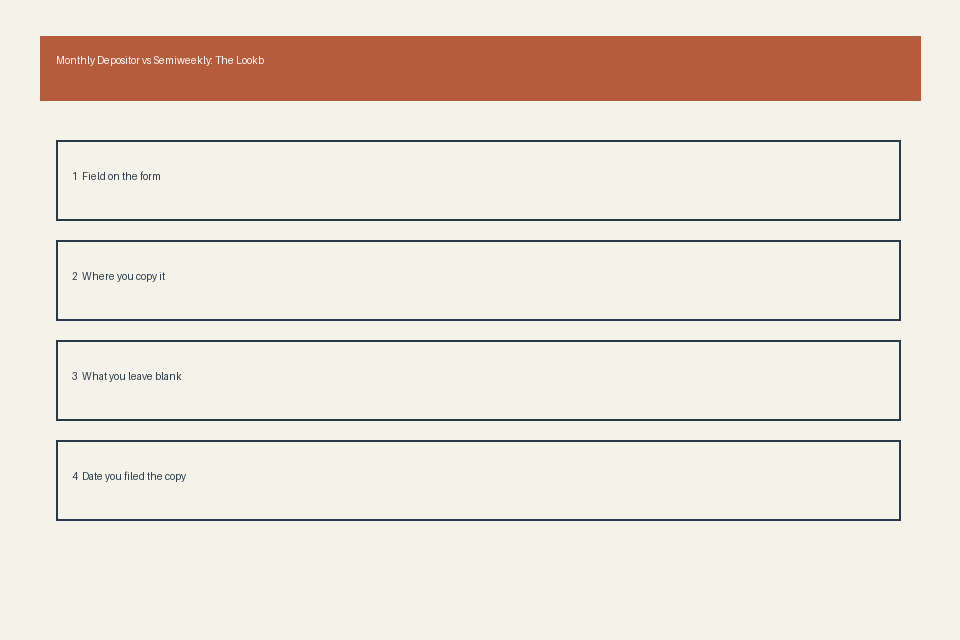
Semiweekly depositors are required to submit tax deposits based on the date of their payroll runs, rather than a fixed monthly deadline, and all deposit coupons (whether digital EFTPS submissions or physical Form 8109 coupons) include fields tied to your lookback assignment to ensure compliance. The first core field is the deposit period end date: for payrolls dated Wednesday, Thursday, or Friday, deposits are due the following Wednesday, and for payrolls dated Saturday, Sunday, Monday, or Tuesday, deposits are due the following Friday. You will enter this end date on your coupon to confirm you are following the semiweekly schedule correctly. The second field is the lookback period reference year, which matches the year listed on your frequency notice, so IRS auditors can immediately cross-reference your deposit schedule to your official assignment if your records are reviewed. The third field is the liability amount for the specific semiweekly deposit period, rather than your total quarterly liability, so you must separate liabilities for multiple pay runs that fall within the same semiweekly window if required. The fourth field is the frequency indicator checkbox, which you will mark “Semiweekly” to confirm you are not using the monthly deposit schedule. If you use a third-party payroll provider, you should spot-check at least one deposit coupon per quarter to confirm these fields are filled correctly, and note any discrepancies on your deposit-schedule identification card for follow-up. All semiweekly deposit deadlines are extended by one business day if the standard deadline falls on a federal holiday, so mark these holidays on your payroll calendar alongside your semiweekly schedule to avoid late deposit penalties.
Monthly depositor form boxes
Monthly depositors are required to submit their total federal employment tax liability for each month by the 15th of the following month, and all related filings include specific boxes to confirm alignment with your lookback-based frequency assignment. The first core box is the monthly liability summary on Form 941, Part 2, Line 16, where you report your total tax liability for each month of the quarter separately, rather than just the total quarterly liability. The IRS cross-references these monthly amounts with your lookback calculation to confirm you are eligible for monthly depositor status. The second box is the deposit date field on your EFTPS deposit confirmation, which you should save and attach to your monthly payroll records to prove you submitted your deposit by the 15th of the following month. The third box is the frequency designation box on your quarterly Form 941 filing, which you will mark “Monthly” to align with your official IRS notice assignment. The fourth box is the next-day liability indicator, which you will check if you had a single payroll liability exceeding $100,000 in any month of the quarter, even if you are a monthly depositor, to confirm you followed the required next-day deposit rule for that specific payment. You should track your total lookback liability each quarter as you file your Form 941, so you can prepare in advance if your total crosses the $50,000 threshold and you will be switched to semiweekly depositor status for the following year.
Print your completed deposit-schedule identification card, attach a copy of your latest IRS frequency notice barcode, and store both in the front of your payroll tax compliance folder before your next scheduled payroll run.