
This standardized checklist supports payroll teams in matching EFTPS receipts to 941 form liability entries for each tax filing period. Mismatches between EFTPS payment records and reported 941 liabilities can trigger IRS penalties, delayed processing, or unnecessary audit inquiries, so this process is designed to be completed within 3 business days of filing a quarterly 941 to resolve discrepancies before the IRS flags them. All documentation should be stored in your centralized payroll tax folder, with separate subfolders for each tax year and quarter to simplify cross-referencing. Margin Desk offers this educational framework only, so consult your licensed payroll tax advisor for company-specific compliance questions.
EFTPS Confirmation Receipt Transaction Code Verification Steps
Begin the reconciliation process by accessing your official EFTPS account portal and downloading all payment receipts associated with the tax quarter in question, making sure to include both scheduled and one-off correction payments submitted during the period. First, locate the 4-character transaction code printed in the top right corner of each EFTPS receipt: valid codes for 941 payroll tax payments are 941, 941P, 941X, and 941SS, and any other code indicates the payment was applied to a different tax form (such as a 940 unemployment tax form or 1040 individual income tax form) that requires reallocation. Second, confirm the transaction date listed on the receipt matches the scheduled deposit date per your approved semi-weekly or monthly IRS deposit schedule, as late deposits carry automatic penalty fees even if the total quarterly payment amount is correct. Illustrative example: If your monthly deposit for March 2024 payroll liabilities was due April 15, 2024, the EFTPS receipt transaction date must fall on or before that date to avoid late deposit penalties. Third, cross-check the 9-digit EIN listed on the receipt against your company’s official IRS EIN assignment letter to ensure payments were not submitted under a subsidiary EIN or a transposed EIN number. Fourth, save a timestamped digital copy of each verified receipt in your quarter’s payroll tax subfolder, labeled with the payment date and transaction code for quick retrieval during future audits or amendment requests.
941 Form Liability Column Entry Matching Protocols
Pull your signed, filed Form 941 and accompanying Schedule B (Report of Tax Liability for Semiweekly Schedule Depositors) for the quarter, focusing first on line-item liability entries rather than aggregate totals to catch small mismatches that may be hidden in combined figures. First protocol: Match each individual EFTPS payment amount to the corresponding liability entry on Schedule B for the same pay period end date, as the IRS uses line-item tracking to verify timely deposits regardless of quarterly total alignment. Second protocol: Confirm that the sum of all EFTPS payments for the quarter matches the total tax liability reported on Line 10 of Form 941 (Total taxes after adjustments and credits), minus any overpayment applied from a prior quarter or any balance due submitted with the 941 filing itself. Illustrative example: If Line 10 shows $12,450 in total tax liability, and you applied a $1,200 overpayment from Q4 2023 to your Q1 2024 obligation, the sum of your EFTPS payments for Q1 2024 should equal $11,250 to be fully matched. Third protocol: Flag any liability entries on Schedule B that do not have a corresponding EFTPS receipt, even if the aggregate total matches, as these gaps can indicate missed deposits, misclassified payments, or data entry errors on your Schedule B. Fourth protocol: Note any adjustments made on a filed Form 941X (Amended Employer’s Quarterly Federal Tax Return) in the margins of your original 941 form, so reconciliations completed after an amendment will align with updated liability figures.
Cross-Reference Spreadsheet Row Entry Validation Checks
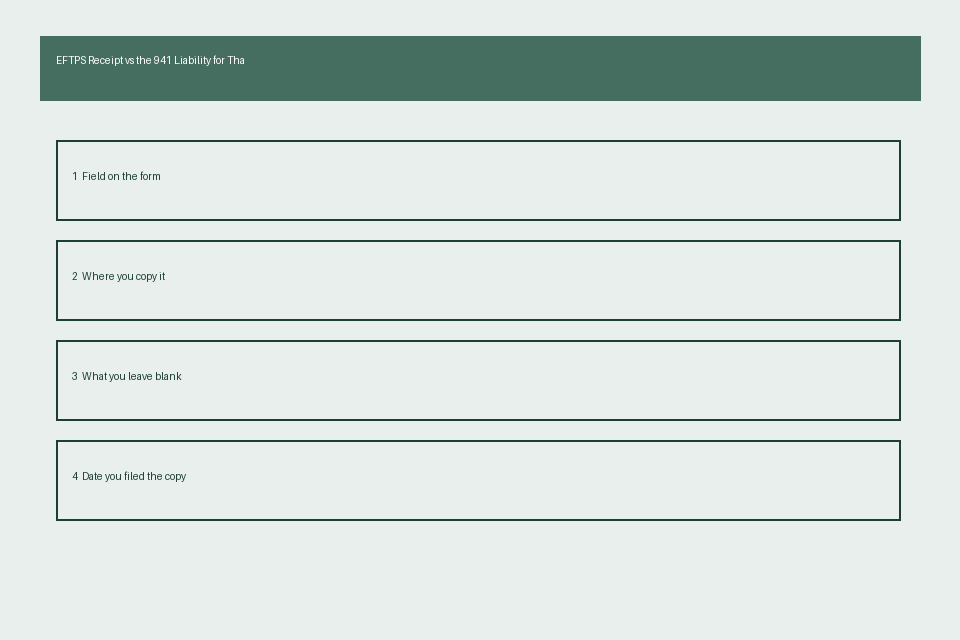
All reconciliation activity should be logged in a dedicated cross-reference spreadsheet for the quarter, with one row per EFTPS payment and corresponding 941 liability entry to simplify tracking. Apply the following validation checks to each row to flag mismatches automatically: first, confirm that the EFTPS payment amount cell is exactly equal to the 941 Schedule B liability amount cell for the same date, with a tolerance of $0.00, as no rounding discrepancies are permitted for federal payroll tax deposits. Second, ensure the EFTPS transaction date cell is not later than the required deposit date cell for that liability entry, per IRS deposit rules for your schedule type. Third, verify that the EFTPS confirmation number cell is 15 characters long, the standard length for valid EFTPS confirmation numbers, to rule out typos or incorrectly copied identification numbers. Fourth, add a “match status” column to flag each row as “matched”, “pending follow-up”, or “resolved” to track reconciliation progress across your team. The table below serves as your official EFTPS vs 941 matching checklist for each line item entry:
| Field Name | EFTPS Receipt Source | 941/Schedule B Source | Match Requirement | Validation Status |
|---|---|---|---|---|
| Employer Identification Number (EIN) | Top left corner of EFTPS receipt | First field on Form 941 header | Exact 9-digit match, no transpositions or extra characters | Matched / Pending / Resolved |
| Payment Date | Transaction date field on EFTPS confirmation | Required deposit date for corresponding Schedule B liability entry | EFTPS date is on or before required deposit date | Matched / Pending / Resolved |
| Payment Amount | Total payment field on EFTPS receipt | Corresponding line item on 941 Schedule B | Exact dollar and cent match, no rounding adjustments | Matched / Pending / Resolved |
| Transaction Code | Top right of EFTPS receipt | Form type listed on Form 941 header | Code must be 941, 941P, 941X, or 941SS for standard 941 deposits | Matched / Pending / Resolved |
| Confirmation Number | 15-character alphanumeric field at bottom of EFTPS receipt | Payment confirmation field on Form 941 filing submission receipt | Exact alphanumeric match to confirm payment is linked to the correct filing period | Matched / Pending / Resolved |
All rows marked “pending” must be resolved within 5 business days of completing the initial reconciliation, with notes added to the spreadsheet explaining the root cause of the mismatch (e.g., typo in payment amount, misapplied payment to wrong quarter) and the steps taken to resolve the issue with the IRS or your payroll provider.
IRS Payment Coupon Confirmation Number Reconciliation Processes
If you submitted any payments via mail with an IRS Form 941-V payment voucher, rather than via EFTPS, you will need to reconcile those payments separately to your 941 liability entries to complete your matching process. First, locate the stamped received date on your certified mail receipt for the mailed payment, or the cleared date on the front of the cancelled check used to submit the payment, to confirm timely submission. Second, match the payment amount listed on the cancelled check or money order receipt to the corresponding liability entry on Schedule B, or to the balance due amount listed on Line 14 of Form 941 if the payment was submitted alongside your quarterly filing. Third, if the IRS has not posted the mailed payment to your payroll tax account within 4 weeks of submission, contact the IRS payroll tax support line to confirm receipt, and add a copy of the certified mail receipt and cancelled check to your payroll tax folder to prove timely submission if the payment is still missing from your account. Fourth, if you used a third-party payroll provider to submit payments on your behalf, request a copy of their EFTPS receipt or payment voucher confirmation for each payment, and confirm that the provider’s internal payment IDs match the EFTPS confirmation numbers listed on your official IRS account to rule out misappropriation of funds or missed deposits.
Quarterly Reconciliation Cover Sheet Attachment Requirements
Once all matching and reconciliation steps are complete, prepare a quarterly reconciliation cover sheet to attach to your filed 941, EFTPS receipts, and cross-reference spreadsheet, for storage in your payroll tax folder and for submission to the IRS if requested during an audit. First requirement: The cover sheet must list the tax year and quarter, total 941 liability reported on Line 10, total EFTPS payments submitted for the quarter, any overpayment applied from prior quarters, any balance due paid with the filing, and the net matched amount (which should be $0.00 if all payments align with reported liabilities). Second requirement: Attach a signed statement from the payroll team lead confirming that all EFTPS receipts have been matched to corresponding 941 liability entries, all discrepancies have been resolved, and all documentation is accurate to the best of their knowledge. Third requirement: Include a list of any discrepancies that were resolved during the reconciliation process, with a brief explanation of the root cause and the corrective action taken. Illustrative example: “$150 overpayment submitted for March 2024 liability, applied to Q2 2024 payroll tax deposits per IRS case number 123456”. Fourth requirement: Add a printed copy of the cross-reference spreadsheet’s summary tab to the cover sheet, so auditors can quickly verify that all line items are matched without reviewing every individual receipt and entry.
Before closing your current quarter payroll tax folder, complete the first three EFTPS receipt verification steps for all payments submitted in the quarter to catch mismatches before you file your 941.