Commercial property claims adjusters review two policy forms to correctly assign coverage for damaged business assets. Misclassifying a damaged asset as covered under the building form when it belongs on an equipment floater can lead to denied claims, delayed reimbursement, or gaps in coverage during post-loss processing. This process reference is designed for Margin Desk users organizing commercial property claim file folders, so they can cross-reference policy documents before submitting a claim packet to their carrier or broker.
Policy declaration schedule line items for equipment floater eligibility
When pulling your policy declaration (dec) page for your commercial property file folder, first separate the inland marine equipment floater addendum from the core building form dec page, as they are often filed as separate documents in your policy packet. Eligibility line items to flag for equipment floater coverage include explicitly scheduled assets with unique serial numbers, stated per-item coverage limits that are separate from the building’s total insured value, a listed coverage territory that extends beyond the physical address of the insured property, a separate floater-specific deductible, and any explicitly listed excluded uses (such as rental to third parties, or use outside of the contiguous United States). If an asset is not explicitly listed on the floater dec page, it is almost always ineligible for floater coverage, unless you have a blanket floater endorsement that covers all unscheduled mobile business assets under a single aggregate limit. Illustrative example: A 2024 commercial grade portable generator listed with serial number 789456 on the floater dec page with a $12,000 per-item limit is eligible for floater coverage if it is damaged while being transported to a temporary job site 30 miles from the insured property.

Coverage comparison column entries for building form covered perils
Most standard commercial building forms follow the ISO CP 00 10 coverage framework, which lists covered perils in a clearly marked column on the first page of the coverage terms worksheet included in your claim folder. Core covered perils for the building form are limited to events that occur on the described premises listed on the dec page, and include fire, windstorm, hail, explosion, riot and civil commotion, aircraft or vehicle impact, smoke, vandalism, sprinkler leakage, sinkhole collapse, and volcanic action. Theft of permanently attached building fixtures is typically excluded from the base building form, unless added via a separate theft endorsement, while equipment floaters almost always include theft as a core covered peril, even for assets that are off the insured premises at the time of the loss. When comparing perils, mark any loss event that occurred off the insured premises as ineligible for building form coverage, unless you have a specific endorsement that extends building form coverage to off-site assets.
Covered assets checklist tags distinguishing mobile vs fixed property
Every commercial property claim folder includes pre-printed checklist tags to categorize damaged assets as mobile or fixed, which directly determines eligibility for coverage under either the equipment floater or the building form. The table below outlines standard tag classifications, eligibility rules, and required supporting documentation to include with your claim packet:
| Asset Classification Tag | Eligible for Equipment Floater Coverage | Eligible for Building Form Coverage | Required Supporting Documentation for Claim |
|---|---|---|---|
| Fixed HVAC unit bolted to building roof | No | Yes | Installation receipt, building permit for unit installation, maintenance records confirming permanent mounting |
| Portable job-site air compressor with registered serial number | Yes | No | Floater dec page line item matching serial number, proof of asset location at time of loss, purchase receipt |
| Built-in commercial kitchen walk-in freezer secured to foundation | No | Yes | Property appraisal listing unit as a permanent building fixture, construction documents showing unit was installed during original building build |
| Mobile diagnostic testing equipment used for on-site client services | Yes | No | Equipment purchase receipt, mileage log showing off-premises use at time of damage, serial number verification photo |
| Detached solar panel array mounted on ground posts 10 feet from main building | Depends if explicitly listed on floater schedule | Yes if classified as a building appurtenance on dec page | Engineering report confirming mounting configuration, dec page line item matching array total value |
To use these tags, print a copy of the table for your claim folder, and affix the matching tag to the front of each damaged asset’s supporting documentation packet before assembling your full claim submission. If an asset falls into a conditional eligibility category, such as the detached solar array listed in the table, you will need to request a written coverage clarification from your licensed insurance broker before assigning it to either policy form, to avoid misclassification during adjuster review.
Endorsement signature box verification for amended coverage terms
Both equipment floater policies and building form policies can be amended with endorsements that adjust coverage terms, expand eligible perils, add or remove covered assets, or adjust limits. Before relying on any amended terms for your claim, verify that the endorsement document includes a valid signature in the designated carrier authorization signature box, located in the lower right corner of the first page of all standard insurance endorsements. For equipment floaters, common amendments include adding new scheduled assets after an equipment purchase, expanding coverage territory to include international travel for work, or removing an exclusion for damage caused by power surges. For building forms, common amendments include increasing coverage limits for permanently attached high-value fixtures like commercial elevators or server room cooling systems, adding earthquake or flood coverage, or excluding coverage for damage caused by tenant negligence. Any endorsement that is missing a signature from an authorized carrier representative (not just your broker or insurance agent) is not considered a legally binding amendment to your policy, so flag any unsigned endorsements in your file folder and request a signed copy from your carrier before submitting a claim that relies on those amended terms. Illustrative example: A broker email confirming that a new piece of manufacturing equipment was added to your floater policy is not sufficient for coverage if the formal endorsement document does not include a signature in the authorized carrier representative signature box at the bottom of the first page.
Claim routing form fields marking assigned coverage source document
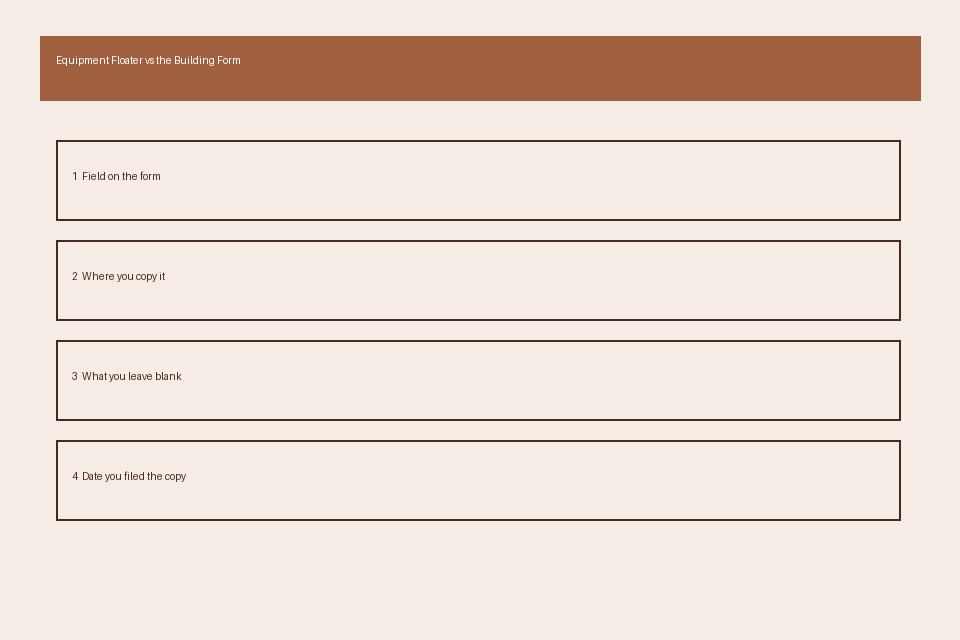
The final step before submitting your commercial property claim packet is to fill out the standard claim routing form included in your file folder, which directs your claim to the correct adjuster team at your carrier. The four key fields to complete when assigning coverage source are: 1) Coverage source document type, where you will mark either “Equipment Floater” or “Building Form” based on your earlier cross-reference of asset eligibility and covered perils; 2) Matching dec page line item number, which corresponds to the specific line listing the damaged asset’s coverage limit on your dec page; 3) Date and location of loss, to confirm the loss occurred within the covered territory and policy period for the assigned form; and 4) Unique asset inventory tag number, to cross-reference the damaged asset with your business’s fixed asset inventory records. Incorrectly marking the coverage source document field can result in your claim being rerouted between adjuster teams, which can add 7 to 14 business days to your claim processing timeline, so double check this section against your earlier coverage comparison worksheet before submitting your packet. This guidance is for educational purposes only, and you should consult a licensed insurance professional or your carrier directly if you have questions about your specific policy terms, as this page does not bind coverage or make claim eligibility determinations.
Before submitting your next commercial property claim packet, cross-reference each damaged asset against the covered assets checklist in this guide to confirm you are assigning coverage to the correct policy form.