
This quick reference card contrasts W-2 Box 10 dependent care entries with official plan statement line items, developed by Margin Desk to support payroll tax folder organization and reduce the risk of amended returns or IRS notices related to dependent care assistance plan (DCAP) benefits. It is intended for self-service reconciliation only, and all questions about specific entries should be directed to your HR desk, plan administrator, or licensed tax professional, as this document does not constitute tax advice or bind any payroll provider or plan issuer. Mismatches between Box 10 and your plan statement are often the result of administrative errors, so documenting discrepancies as early as possible can simplify resolution before you file your annual income tax return. All records used for this reconciliation should be stored in your dedicated payroll tax form folder for a minimum of 3 years per federal recordkeeping requirements.
Box 10 Taxable Benefit Calculation Fields
Box 10 on your W-2 reports all amounts your employer provided or withheld for dependent care benefits, including both pre-tax excluded amounts and taxable amounts that exceed IRS limits or relate to ineligible expenses. The four core fields that make up the Box 10 total are: 1) Total pre-tax DCAP contributions withheld from your regular payroll checks during the tax year, which are generally excluded from your Box 1 taxable wages if they fall under annual IRS limits; 2) Taxable dependent care benefits that do not qualify for exclusion, including reimbursements paid for ineligible expenses, amounts paid for dependents who lost eligibility mid-year, and contributions that exceed the annual IRS limit for your filing status; 3) Disallowed carryover amounts from prior plan years that were not used within the allowed grace period or carryover window, which are added back to your taxable income and reported in Box 10; 4) Any employer-provided dependent care stipends that are not part of a pre-tax DCAP, which are fully taxable unless they meet IRS exclusion requirements. Illustrative example: if you contributed $6,000 to your DCAP for 2024 and file as married filing jointly, the $1,000 over the $5,000 annual limit will be reported as taxable in Box 1, with the full $6,000 listed in Box 10. All fields used to calculate your Box 10 total should be documented in your payroll records, which you can request from your HR department if you do not have copies on file.

Plan Statement Eligible Dependent Roster
Your annual dependent care plan statement, issued by your plan administrator no later than January 31st for the prior tax year, includes an official eligible dependent roster that lists all individuals you registered to use DCAP funds for during the plan year. Each entry on the roster includes the dependent’s full legal name, date of birth, eligibility classification (qualifying child under 13, disabled spouse, disabled adult dependent who resides in your home full time), effective eligibility start and end dates, total dependent care expenses submitted for that individual, total approved reimbursements paid for that individual, and any denied claims related to that dependent. The roster also flags any dependents who lost eligibility mid-year, for example when a child turns 13, and notes any reimbursements paid after the eligibility end date that are classified as taxable. This roster is the official record of eligible dependents for your plan, so any dependents listed on your Form 2441 (Child and Dependent Care Expenses) must match the names and eligibility status listed on this roster to avoid IRS questions. If you added or removed a dependent during the plan year, confirm that the effective dates on the roster match the dates you submitted to your plan administrator, as errors here are a common cause of Box 10 mismatches.
Reconciliation Worksheet Discrepancy Tracking Columns
The table below is the core of the box 10 vs plan statement reconciliation card, designed to be printed and added to your payroll tax folder to track mismatches between the two documents. Fill out one row per line item, using official source data directly from your W-2 and plan statement to avoid manual entry errors.
| Column Name | Box 10 Source Data | Plan Statement Source Data | Discrepancy Root Cause Flag |
|---|---|---|---|
| Total Annual DCAP Contributions | Payroll system withholding logs, W-2 Box 10 pre-tax line entry | Plan administrator contribution tracking report, pay period contribution confirmations | Excess prior year carryover applied without employee notification |
| Taxable Benefit Addback Amount | Payroll system excess limit calculation, W-2 Box 1 adjustment notes | Plan statement ineligible reimbursement report, denied claims log | Dependent eligibility lapse not reported to payroll department by plan administrator |
| Prior Year Carryover Utilization | Payroll adjusted contribution entry, W-2 Box 10 explanatory addendum | Plan statement carryover balance log, grace period claim processing report | Unused 2.5 month grace period claims not applied to prior year carryover balance |
| Post-Year Reimbursement Repayment | W-2 corrected Box 10 entry, payroll adjustment confirmation | Plan statement repayment receipt log, returned reimbursement confirmation | Repayment submitted to plan administrator after W-2 was issued and filed with the SSA |
| Employer Provided Stipend Amount | Payroll system non-qualified benefit entry, W-2 Box 1 taxable wage notes | Plan statement stipend disbursement log, eligibility confirmation for stipend benefits | Stipend incorrectly classified as pre-tax DCAP contribution in payroll system |
After filling out the table, mark each line item as matched or mismatched, and attach a copy of the supporting source documents for any mismatched line items to the back of the reconciliation card. If you identify a mismatch, contact your plan administrator and HR department within 10 business days to request a correction, as amended W-2s can take 2-4 weeks to process.
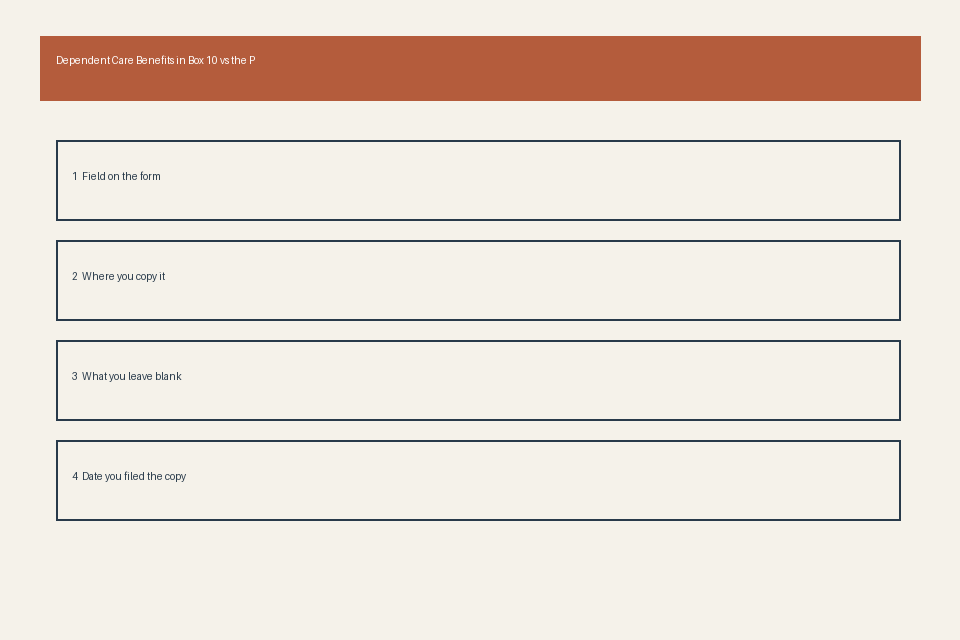
W-2 Attachment Confirmation Tick Boxes
Before filing your tax return, use these tick boxes to confirm you have all required supporting documentation for any Box 10 discrepancies or adjustments, either for your physical file or digital tax record storage:
- [ ] Discrepancy between Box 10 and plan statement is fully documented with written confirmation from your plan administrator, including any agreed-upon corrections
- [ ] All taxable dependent care benefits reported on the plan statement are included in Box 1 taxable wages on your W-2, or are reported as additional taxable income on your Form 1040 if the W-2 is not corrected
- [ ] All dependents listed on the plan statement eligible dependent roster match the dependents listed on Form 2441 filed with your tax return, with matching eligibility status and expense amounts
- [ ] Any DCAP contributions exceeding the annual IRS limit for your filing status are reported as taxable income on your 1040, with a written explanation attached if the amount is not reflected on your W-2
- [ ] All supporting documents, including the plan statement, reconciliation worksheet, and correspondence with your plan administrator, are stored in your payroll tax folder for the required 3-year retention period
If you are filing your tax return electronically, scan all supporting documents and save them in a password-protected folder with your digital tax return, and note any adjustments in the appropriate field of your tax software to flag the discrepancy for the IRS.
Filing Cover Sheet Benefit Disclosure Blocks
Add a cover sheet to the front of your dependent care benefit document packet in your payroll tax folder, with the following standard disclosure blocks to make record retrieval and audit response faster:
- Tax Year Block: Write the full tax year the dependent care benefits apply to, plus the filing deadline for that year to reference retention timelines
- Plan Administrator Contact Block: List the full name, phone number, email address, and mailing address of the plan administrator representative you worked with to resolve any discrepancies, plus the date of your most recent correspondence
- Discrepancy Resolution Status Block: Mark the status of any mismatches as fully resolved, unresolved with a W-2 correction requested, or unresolved with a self-reported adjustment on your tax return
- Form 2441 Matching Confirmation Block: Note the line number on Form 2441 that corresponds to your adjusted Box 10 amount, plus the total eligible expenses claimed for the tax year
- Record Retention Expiration Block: Write the date 3 years after the tax filing deadline, after which you can securely discard the dependent care benefit documents to free up storage space
This cover sheet eliminates the need to sort through multiple unrelated documents if you receive an IRS notice related to your dependent care benefits, and makes it easier for a tax preparer to review your records if you hire professional support in future years.
Pull your current year W-2 and dependent care plan statement, and fill out the first two columns of the reconciliation worksheet within 7 days to resolve any mismatches before your tax filing deadline.