
This field map standardizes asset categorization for official commercial property insurance declaration form submissions. Misclassification between permanently attached building property and movable business personal property (BPP) is a top cause of undercoverage, coverage denials, and delayed claim payouts for commercial policyholders across all industry segments. This guide aligns with standard ACORD 140 form formatting requirements, so all entries can be cross-checked directly against your existing policy documents to reduce submission errors. Margin Desk created this field map for educational use only, and all final classification decisions should be confirmed with your licensed insurance broker or carrier underwriter before submission.
Declaration Page Building Classification Column
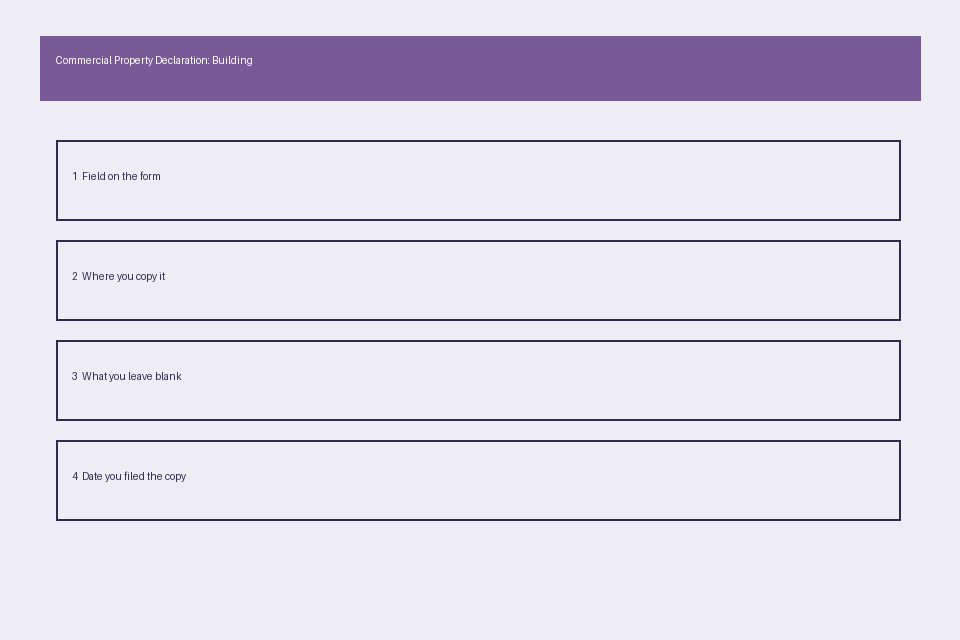
This column is located on the first page of most standard commercial property declaration packets, usually the third column under the “Covered Property” section, directly adjacent to the policy limit and deductible fields for building coverage. Entries in this column are limited exclusively to permanently affixed assets that are part of the building’s core structure or required for the building’s core operational function, per ISO (Insurance Services Office) classification standards. Pre-filled classification codes will appear in this column for existing structural assets, so you only need to update entries if you have completed structural renovations, added permanent building fixtures, or modified existing affixed systems since your last policy renewal. Illustrative example: if you installed a new permanent roof-mounted solar array connected directly to the building’s electrical system in the last policy term, you would add that line item to this column with the updated replacement cost value, rather than listing it under BPP. All items listed in this column are subject to the separate building coverage deductible, which is often higher than the BPP deductible for standard commercial policies, so accurate classification prevents you from paying a higher deductible than required for movable asset claims. You do not need to list individual structural components like drywall or foundation elements in this column, as those are covered under the core building limit unless explicitly excluded by your policy terms.

Field Entry BPP Asset Description Box
This multi-line free-text box appears on the second page of the ACORD 140 form, or as a supplementary schedule attached to your core declaration page, and is reserved for all movable assets owned by your business that are used in daily operations and not permanently attached to the building structure. To reduce processing delays, group assets by category rather than listing individual low-value items like office supplies or small hand tools, and include the purchase date, original cost, and current replacement cost for each category line to streamline future claim filings. Most standard policies cover BPP assets only if they are located within 100 feet of the covered building premises, so you should note any BPP assets stored off-site on a separate off-premises coverage endorsement if you need coverage for those items. Illustrative example: a professional services firm would group all freestanding office furniture, portable computer equipment, and office electronics into 2-3 category line entries in this box, rather than listing each individual laptop or desk chair separately. If you lease equipment that your business is responsible for insuring per your lease agreement, those assets should also be listed in this box with a note indicating the lease terms and insurable value. Avoid listing assets owned by third parties, like customer property or landlord-owned fixtures, in this box unless you have added a bailee’s coverage endorsement to your policy.
Asset Categorization Cross-Reference Schedule
This field map table helps you quickly sort common commercial assets into the correct classification category before submitting your updated declaration form to your carrier. For any assets that fall into a gray area, attach copies of installation records and photos to your submission so your underwriter can issue a formal classification decision in writing, which will be binding during future claim reviews.
| Asset Type | Building Classification Eligible | BPP Classification Eligible | Supporting Documentation Requirement |
|---|---|---|---|
| Permanent central HVAC system connected to building ductwork | Yes | No | Copy of installation invoice showing permanent affixation to building structure, building permit records |
| Portable electric space heaters for seasonal office use | No | Yes | Copy of purchase receipts, annual electrical safety inspection log |
| Custom built-in reception desk bolted to subfloor and wired to building electrical | Yes | No | Copy of construction contract, date-stamped photos of permanent installation |
| Freestanding ergonomic office chairs and modular, unbolted work desks | No | Yes | Annual inventory log with purchase dates and current replacement cost estimates |
| Interior drywall partitions installed as part of a tenant improvement project | Yes | No | Copy of signed tenant improvement agreement, local building permit approval documentation |
| Plug-in commercial grade breakroom refrigerator with no permanent plumbing connections | No | Yes | Copy of purchase receipt, date-stamped photos of non-affixed placement |
If an asset has both permanent and movable components, split the value across both categories as appropriate, and note the split in the Coverage Boundary Segregation Note Section of your form to avoid confusion during underwriting or claim review.
Coverage Boundary Segregation Note Section
This dedicated 10-line box appears at the bottom of the supplementary property schedule attached to your declaration form, and is reserved for policyholder notes that clarify boundary decisions for gray-area assets or unusual classification requests. This section creates a formal paper trail of your classification logic that both your underwriter and future claims adjuster can reference, reducing the risk of coverage disputes after a loss occurs. Use this section to note any leased assets, split-value assets, or tenant improvement assets that require additional context to confirm eligibility for building or BPP coverage. Illustrative example: if you have a custom storefront sign that is bolted to the building facade but has removable digital display components, you would note in this section that the permanent mounting frame and wiring are classified as building property, while the removable digital display unit is classified as BPP, with a reference to attached photos and installation invoices to support the split. You should also include the effective date of any classification changes in this section, to confirm the changes align with your current policy term start and end dates. Do not use this section to list additional assets or request coverage changes, as those entries will not be processed by your underwriter unless they are listed in the appropriate building or BPP columns of your form.
Adjuster Verification Supporting Document Folder
You should maintain both a physical and digital copy of this folder, organized with clearly labeled subfolders for building property and BPP documentation, so you can provide all required verification records to your adjuster within 72 hours of a claim being filed, per most standard commercial property policy requirements. Standard documents to include in this folder are: copies of all purchase receipts and installation invoices for assets listed under both coverage categories, date-stamped photos of permanent building fixtures taken at the time of policy renewal, a signed copy of your tenant improvement agreement if you occupy a leased commercial space, an annual updated inventory log for all BPP assets, and written confirmation from your underwriter of any gray-area classification decisions. Margin Desk recommends you store a copy of this folder off-site, either in an encrypted cloud storage account or a physical storage location separate from your covered building, so the records are not lost if the building is damaged during a covered loss. Review the folder once per year at policy renewal to add new assets, remove assets you no longer own, and update replacement cost values to ensure your coverage limits remain accurate. This page does not bind coverage or make claim eligibility decisions, so all questions about specific policy terms should be directed to your licensed insurance broker or carrier representative.
Pull your most recent commercial property declaration page and cross-reference 3 high-value assets against the cross-reference schedule above to confirm they are listed in the correct column before your next policy renewal.